
Construction observation and field review software
The report is finished before you leave the site.
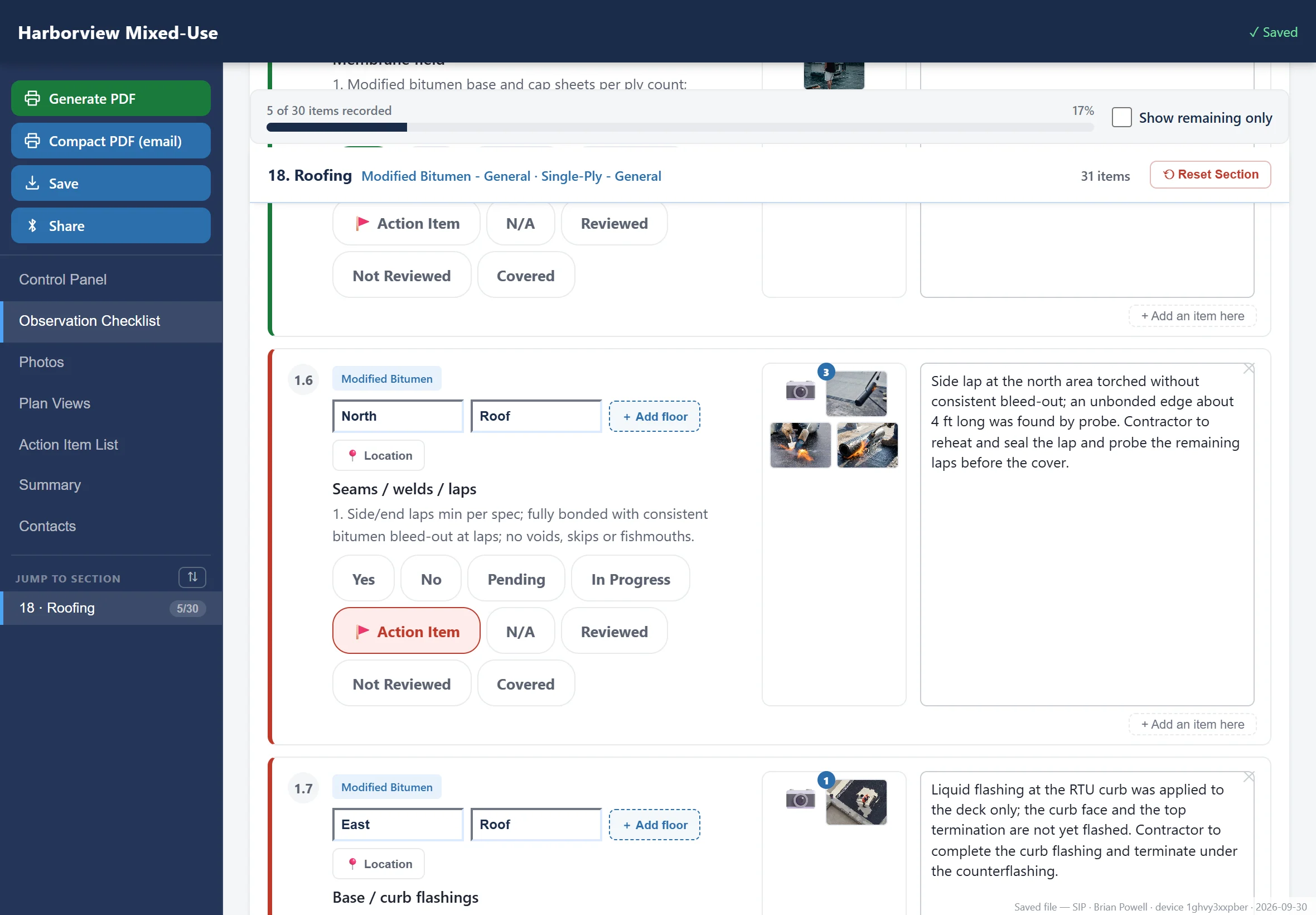
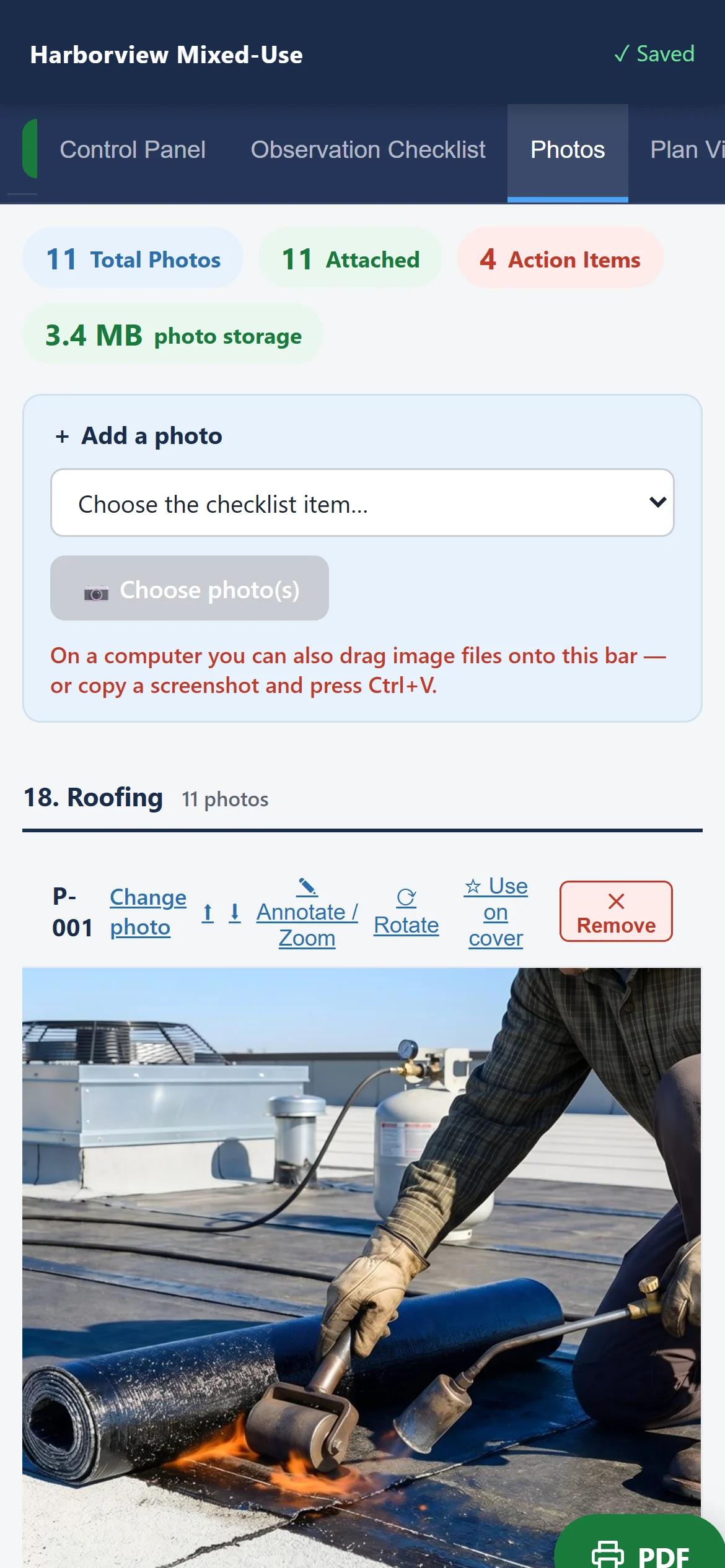
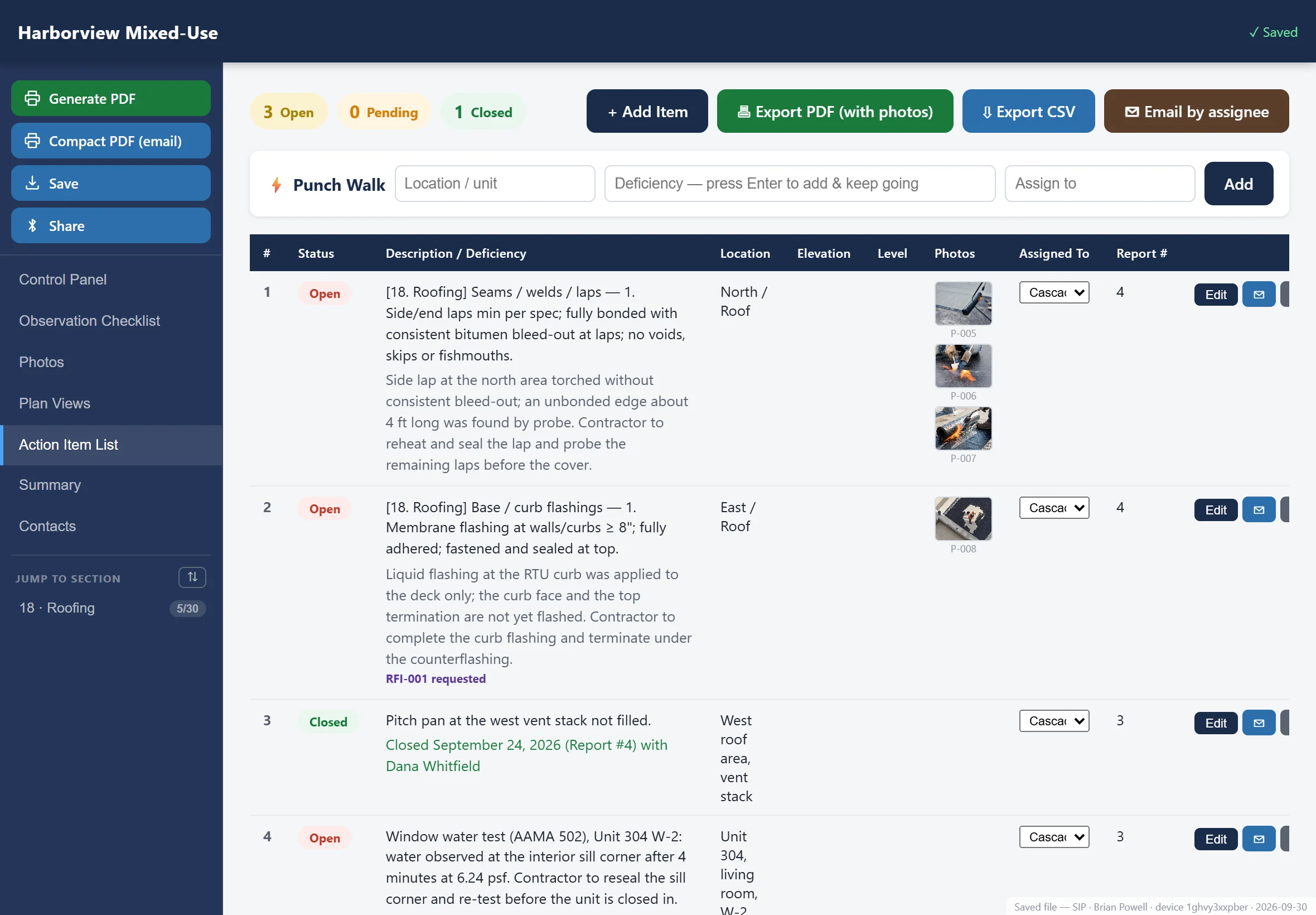
In the field. Observations, photographs, field tests and action items are written on the device as you walk the job. The report is generated there too — on your letterhead, with the photographs numbered and the action items listed.
For developers and ownership. One place per project holding every visit, the open action items, the costs and the paperwork, run by the owner’s team rather than the contractor’s. Let the GC keep Procore, Trimble or Autodesk — you get a space of your own, written into the contract alongside theirs. What developers get →
Written by the consultants who spent twenty years wondering why the software was this bad. We are those consultants. We built the software.
On the real product, with your systems on the screen. No credit card. No per-report fees, ever. Or read a finished report first.

The other half of the platform
The Development Hub
A room of your own, per project, where Ownership and the design team work out their response together — before it goes to the contractor.
You run it. We provide the platform. The Hub belongs to the owner, the developer, or whoever they put in charge of the job. We do not manage your project and we do not sit between you and your team. We stand it up, customize the modules and the libraries to the scope we agree, and hand you the infrastructure to manage, track and assign the work.
- Every visit, in orderEach report as it was issued, oldest to newest, with the photographs attached
- The cost positionOriginal contract sum, executed and pending changes, billed, paid, retainage held
- Payment applicationsRead one against the contract instead of taking the number on trust
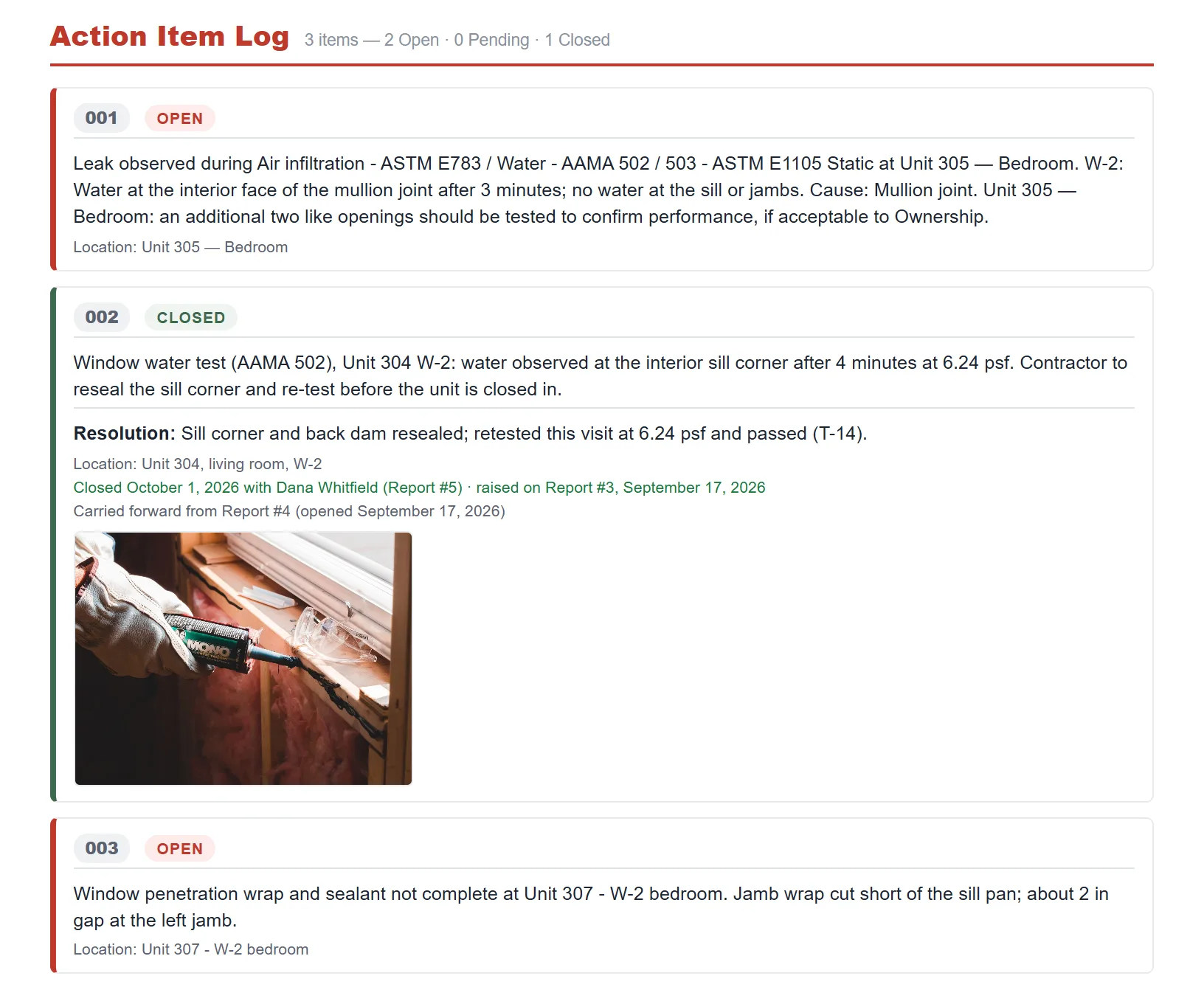
- Action items with a name on themYour person and your due date, not only which contractor it went to
- Submittals and RFIsTracked together, with the question and the answer in one place
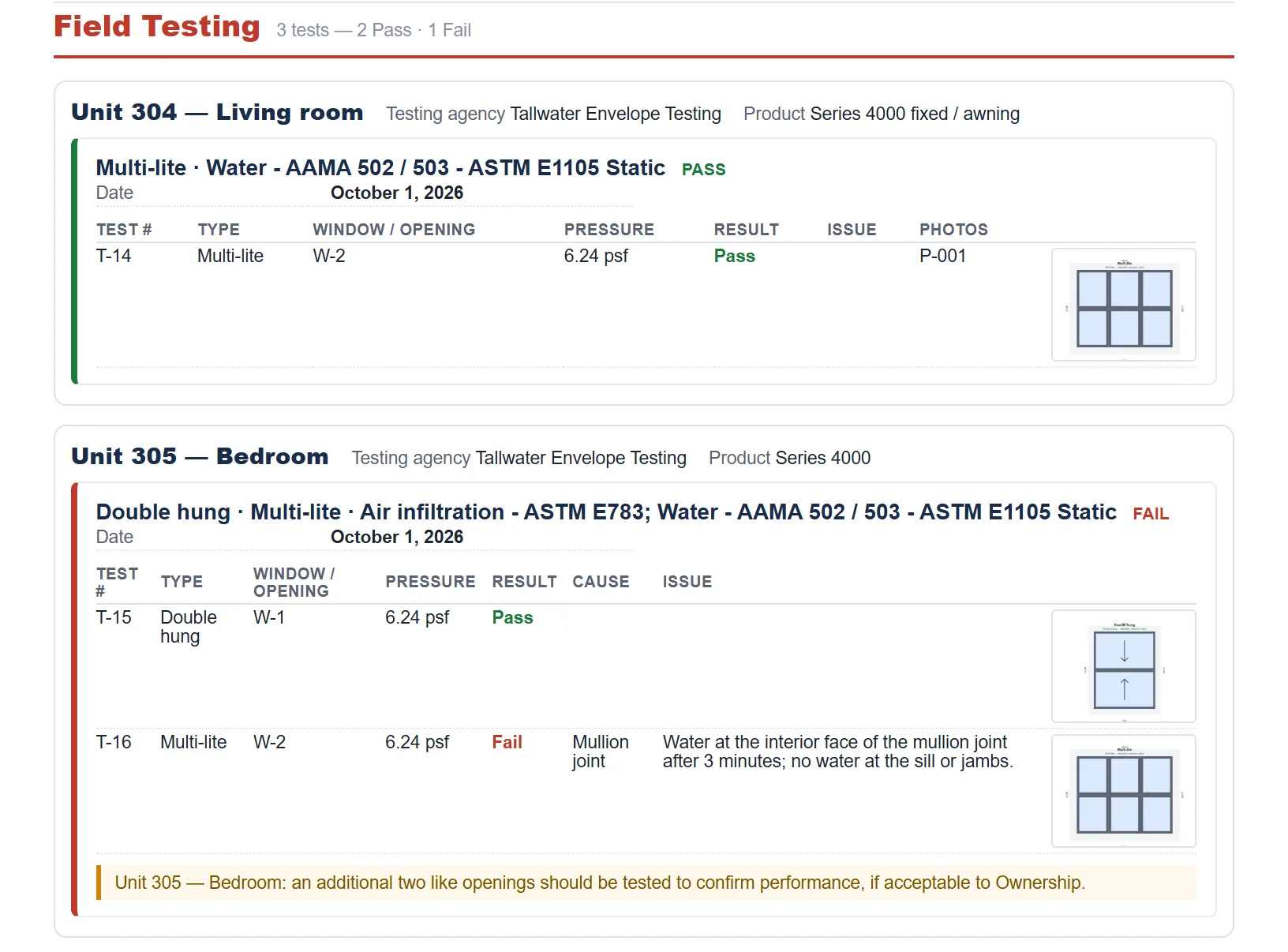
- Field testing and its resultsWhat was tested, what it did, and the photographs taken at each step
- WarrantiesWhat is covered, by whom, and until when — found before you need it
- The service and maintenance logWhat has been done to the building since it opened
- Drawings and specificationsThe contract documents beside the work they describe
It is the kind of infrastructure the large firms wish they had. They could have built it too — if they were staffed by consultants who spent twenty years wondering why the software was this bad.
Today that conversation is a chain of forwarded email, and the owner, the architect, the engineer and the consultant each answer separately. The Hub puts them in one room with the documents pinned beside the discussion. They settle it, and one response goes out in the name of the whole team — or grouped responses where the question covers more than one subject.
A simple dashboard comes with the subscription: your open action items, submittals and RFIs, for your own people. The full owner-managed Hub is the paid addition — where the owner, the architect and the other consultants work alongside you by invitation.
It tracks the job’s paperwork, wherever it lives
Forward the email or paste the link and an RFI or submittal joins the project register, whatever the contractor runs the job on — a system, or an inbox. The official response is still made wherever that record lives. The Hub is the step before it.
Owners can simply require it
You already tell a contractor which submittal system to use and what format to close out in. This is one more line in that contract. Your consultants report into your Hub, the GC keeps running the job on whatever they run it on, and the record ends up on your side instead of theirs. Connecting directly into the contractor’s own Procore tenant, so the register fills itself, is planned. Today an RFI or submittal joins it by forwarding the email or pasting the link — which works with any system they run.
It is Ownership’s room, not the contractor’s
In GC-managed software the owner and the design team are guests — the contractor sets the permissions and watches the deliberation happen. Here the room belongs to the owner’s side. The contractor sees the answer, not the working out.

One platform, shaped to the work you do.
Same mechanics every time — walk it, mark it, photograph it, issue it. What changes is the library behind the checklist and the language on the page. That is a setting, not a different product.
Developers & ownership
Progress and quality across a portfolio, held to one standard whoever is walking the site that week. Open items carried between visits, so nothing closes out on a promise. Every consultant’s visit files into one record that belongs to the person paying for the building — not to the contractor’s software, and not to four different PDFs.
General contractors
Pre-installation checks, in-progress QC and punch walks in the same file. Action items go straight to the responsible sub with the photograph attached.
Architects & engineers
Construction administration site visits and mock-up reviews that produce a defensible record — observations tied to the detail, in your firm’s format and under your firm’s name.
Property managers
Turnover walks, recurring condition surveys and capital planning on a schedule, with the same unit compared honestly against itself visit after visit.
Manufacturers
Field reviews of your own systems — pre-installation meetings, progress visits and warranty reviews — with your installation requirements and NDL warranty conditions as the checklist, carried the same way by every representative. Adapted for the manufacturer as well, so your own field representatives perform the review and issue the report under your name.
Restoration In development
Existing buildings, where the work starts with finding out what is actually there — condition first, then scope, then before, during and after on the same item. The restoration library is being written.
Why this exists
The visit takes two hours. The report takes the evening.
Notes on a phone, photographs in a camera roll, and three hours at a desk that night stitching them into something a client will read. The billable work happened on site. The unbillable work happens after dinner.
Written by an IIBEC-registered consultant with twenty years in the field, for the visits he was doing that week. Photographs renumber themselves. Weather fills itself in. There is an undo, because wet gloves make mistakes.
What lands on the desk
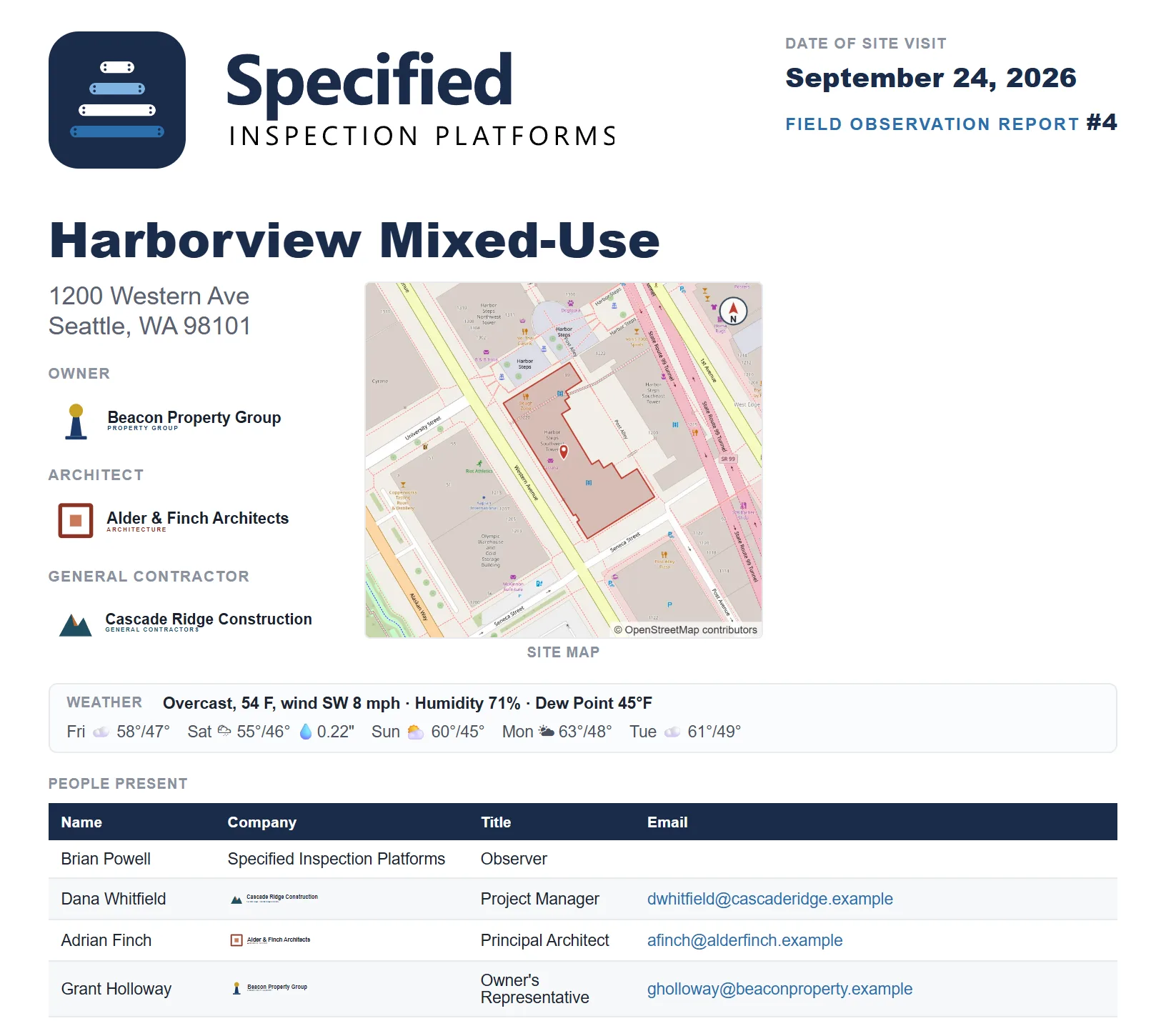
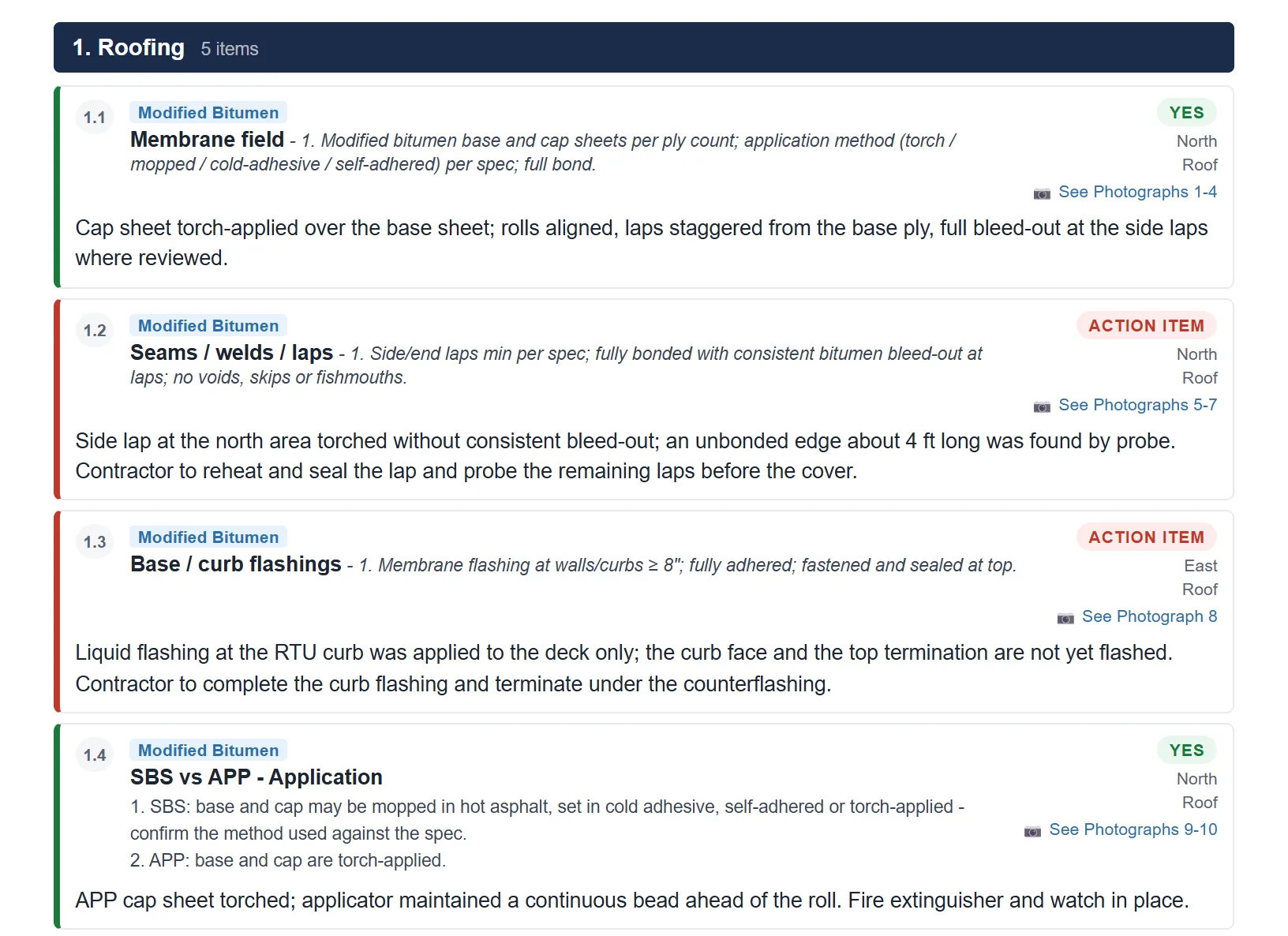
A finished report, start to finish.
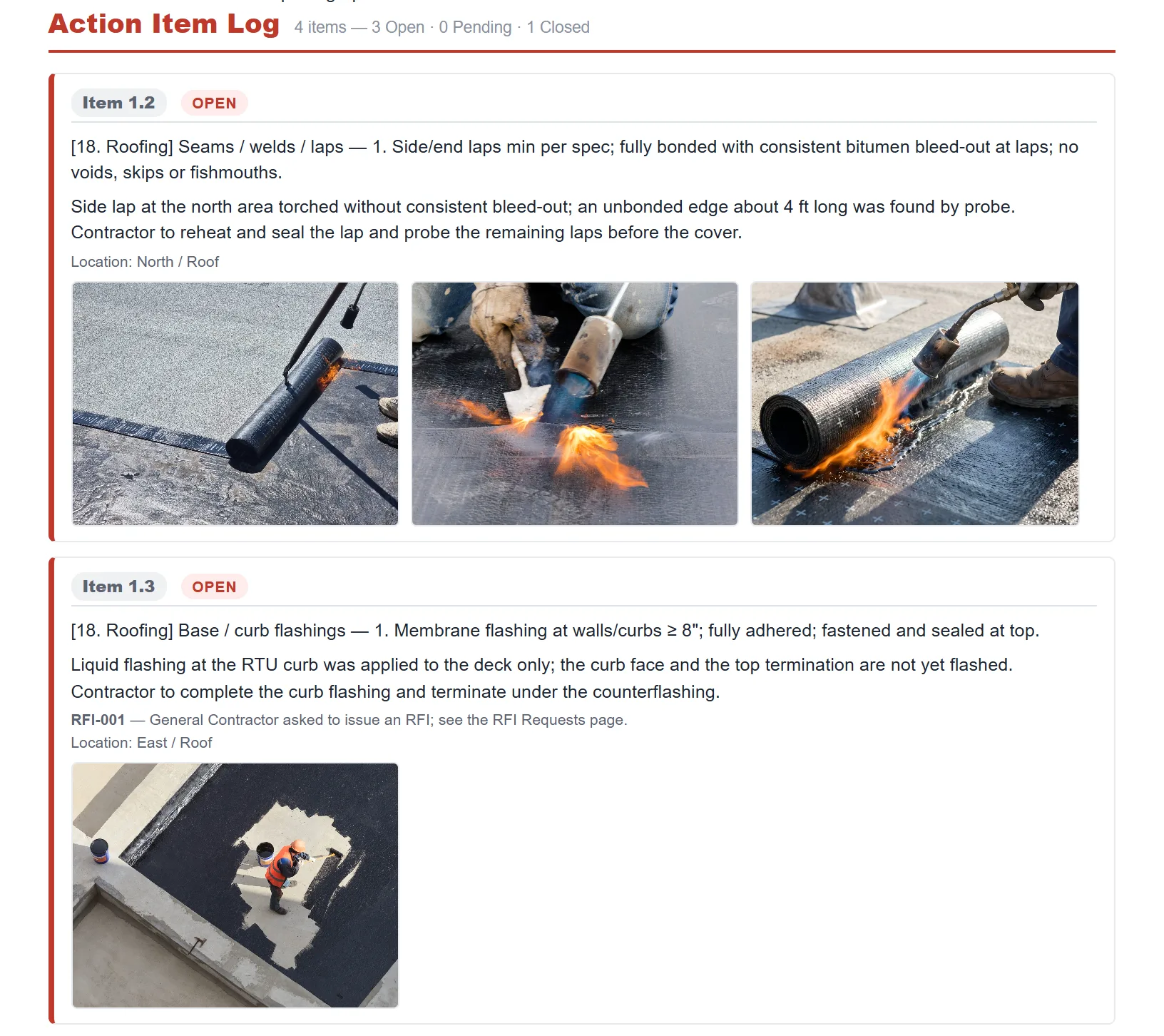
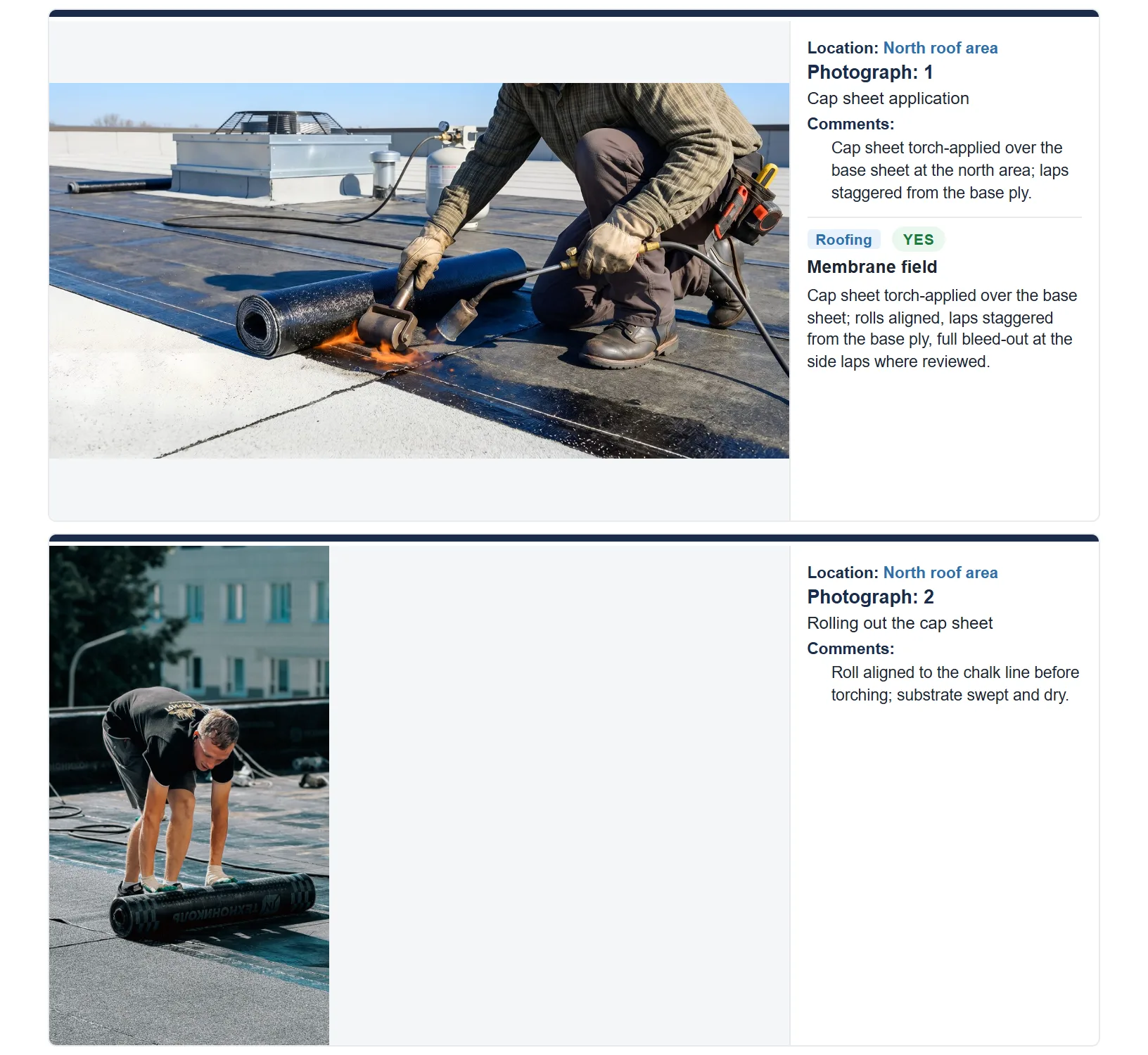
Twelve pages, generated in the field on the day of the visit: cover, observations by system, the action item log, RFIs, the meeting minutes, the marked-up roof plan and the numbered photographs. Fictional firm, fictional project, real format.
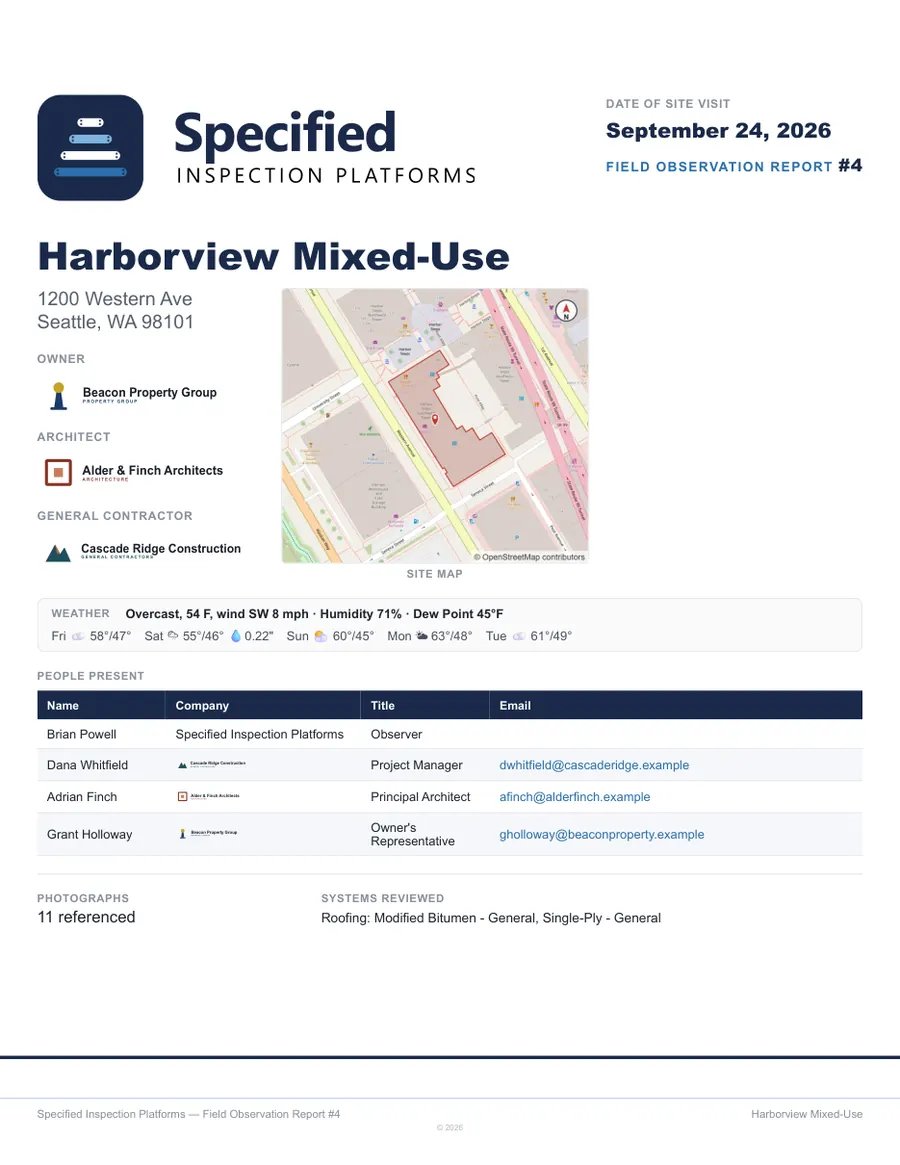
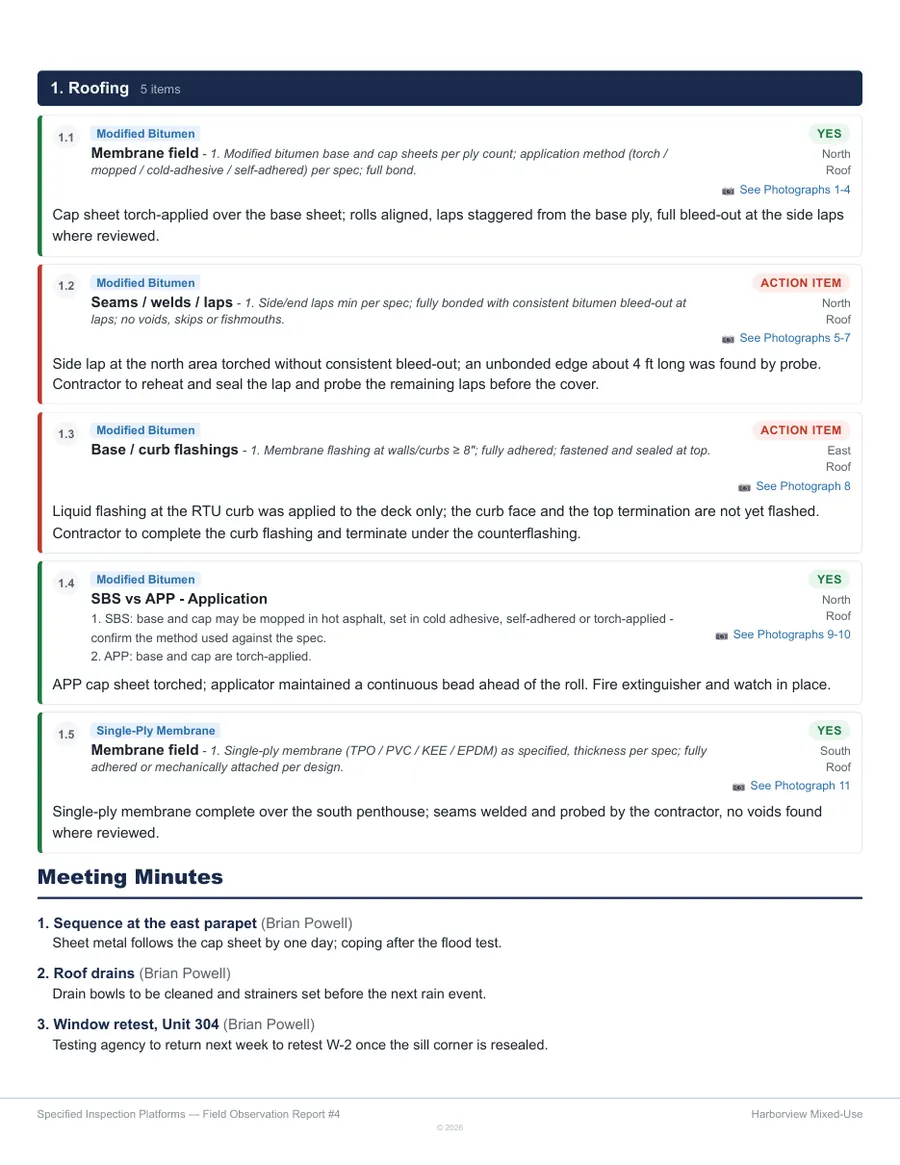
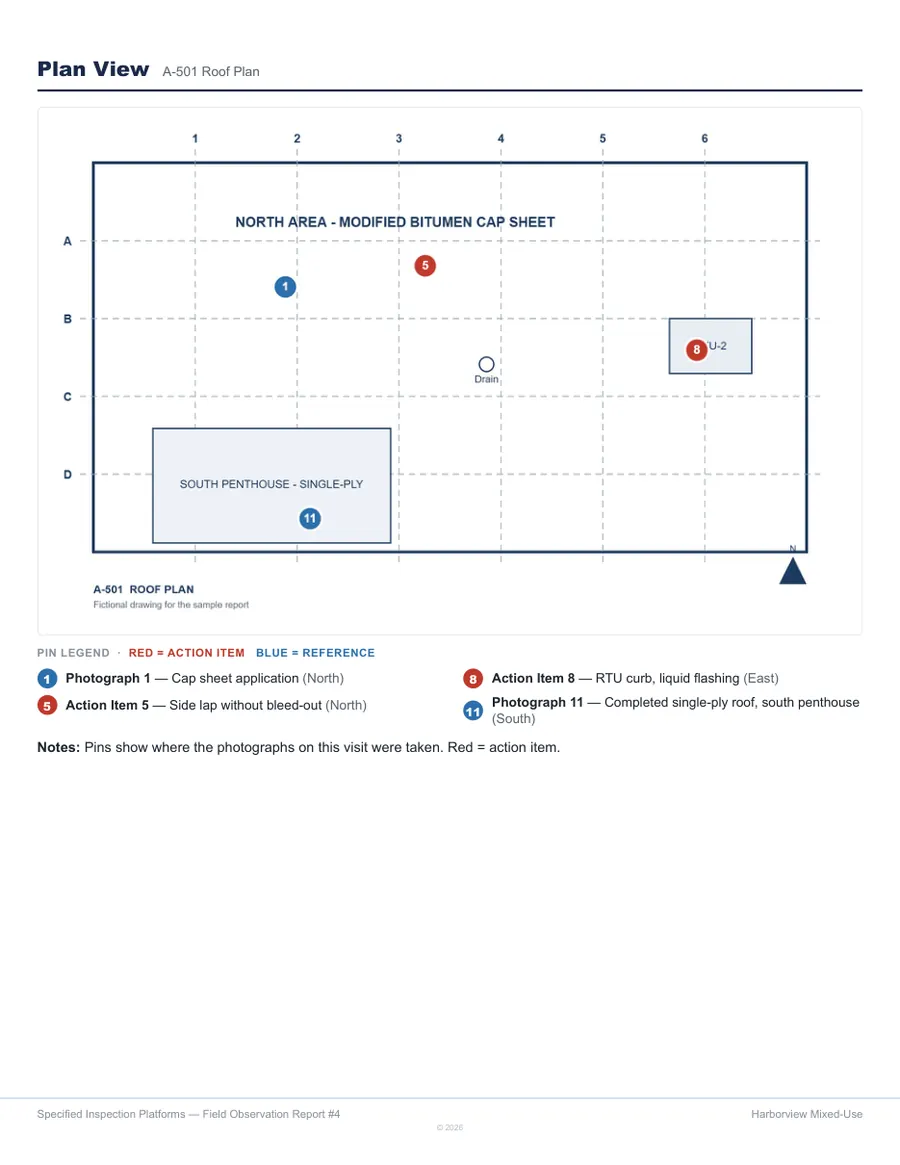
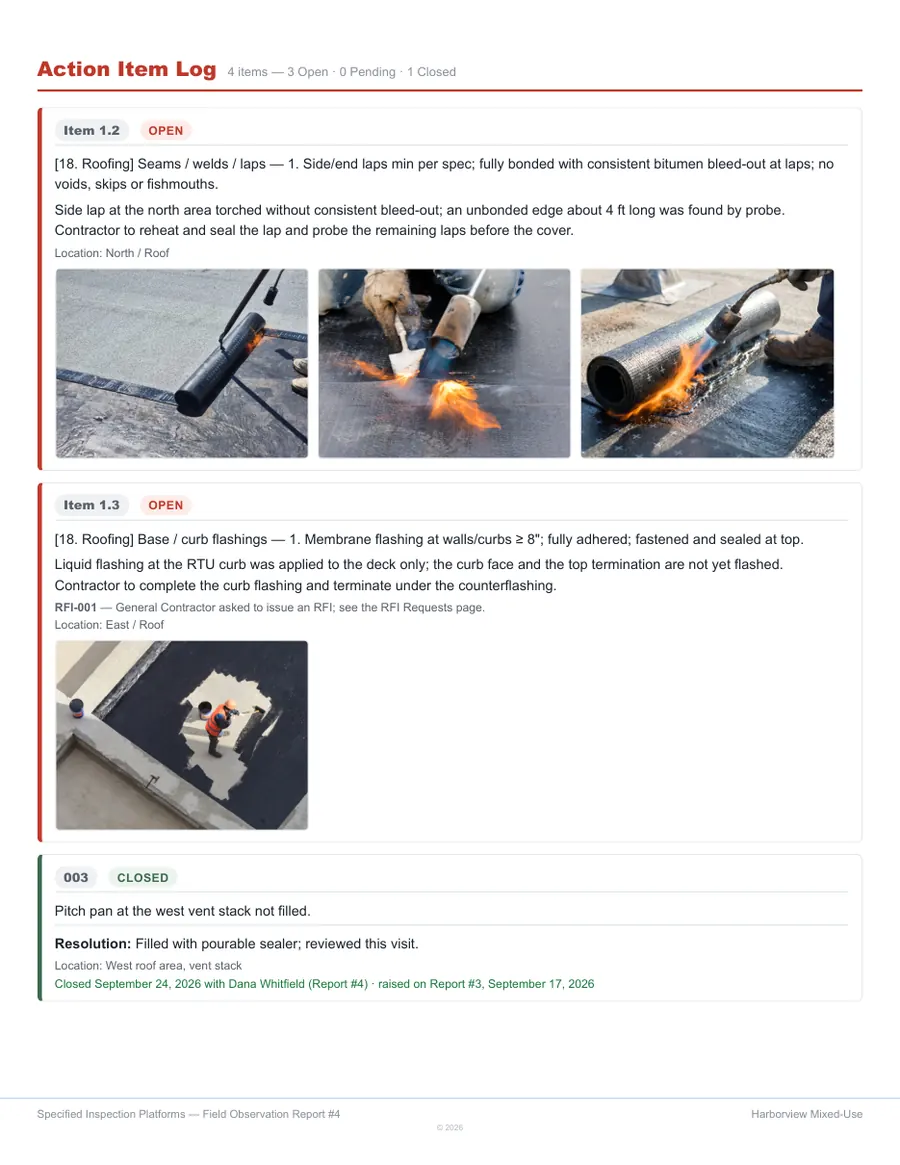
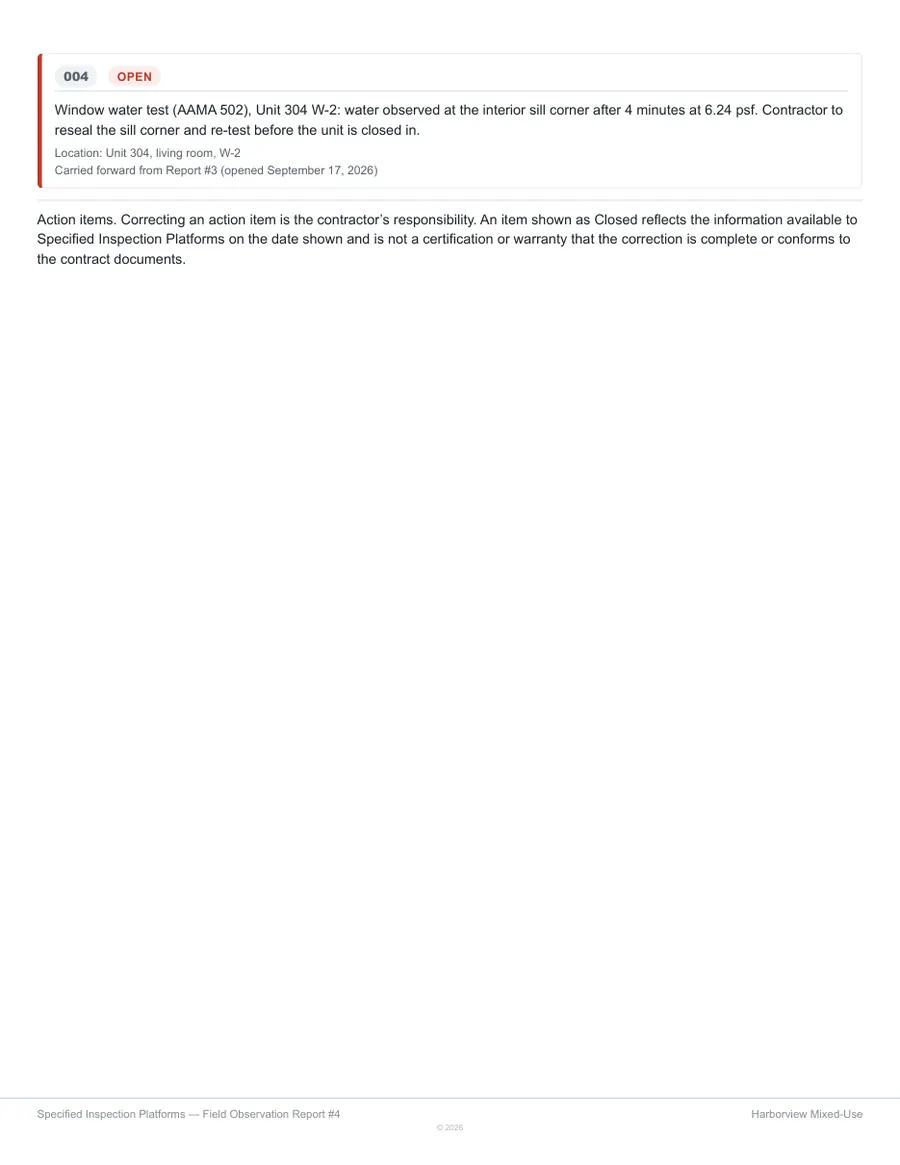
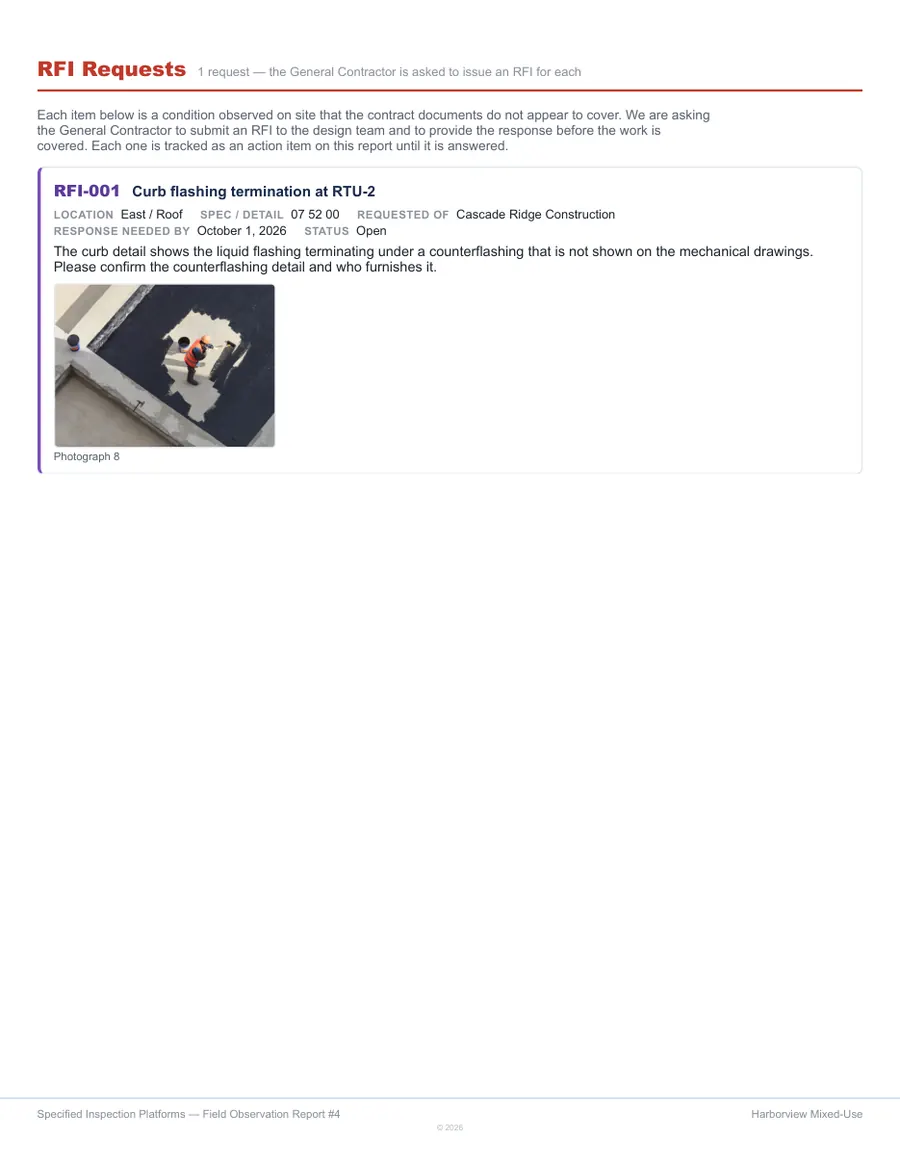
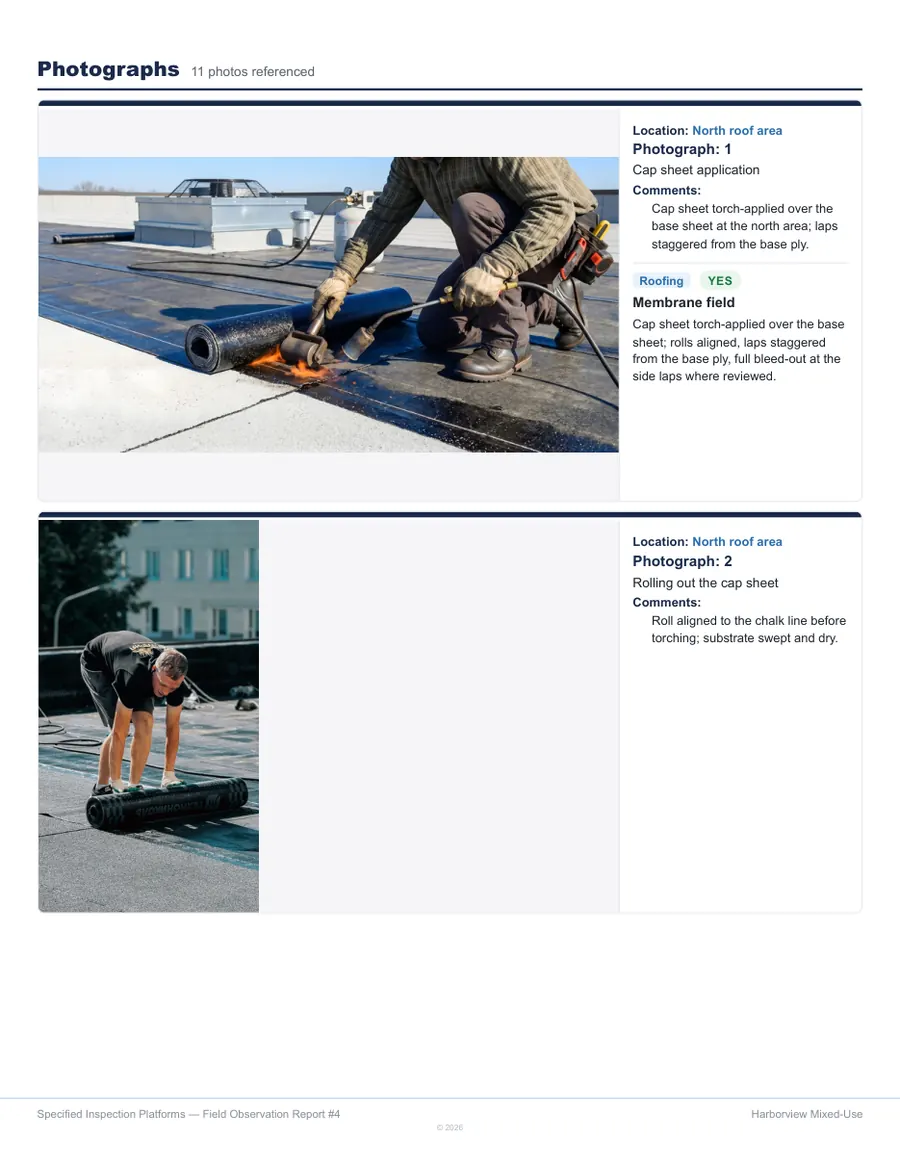
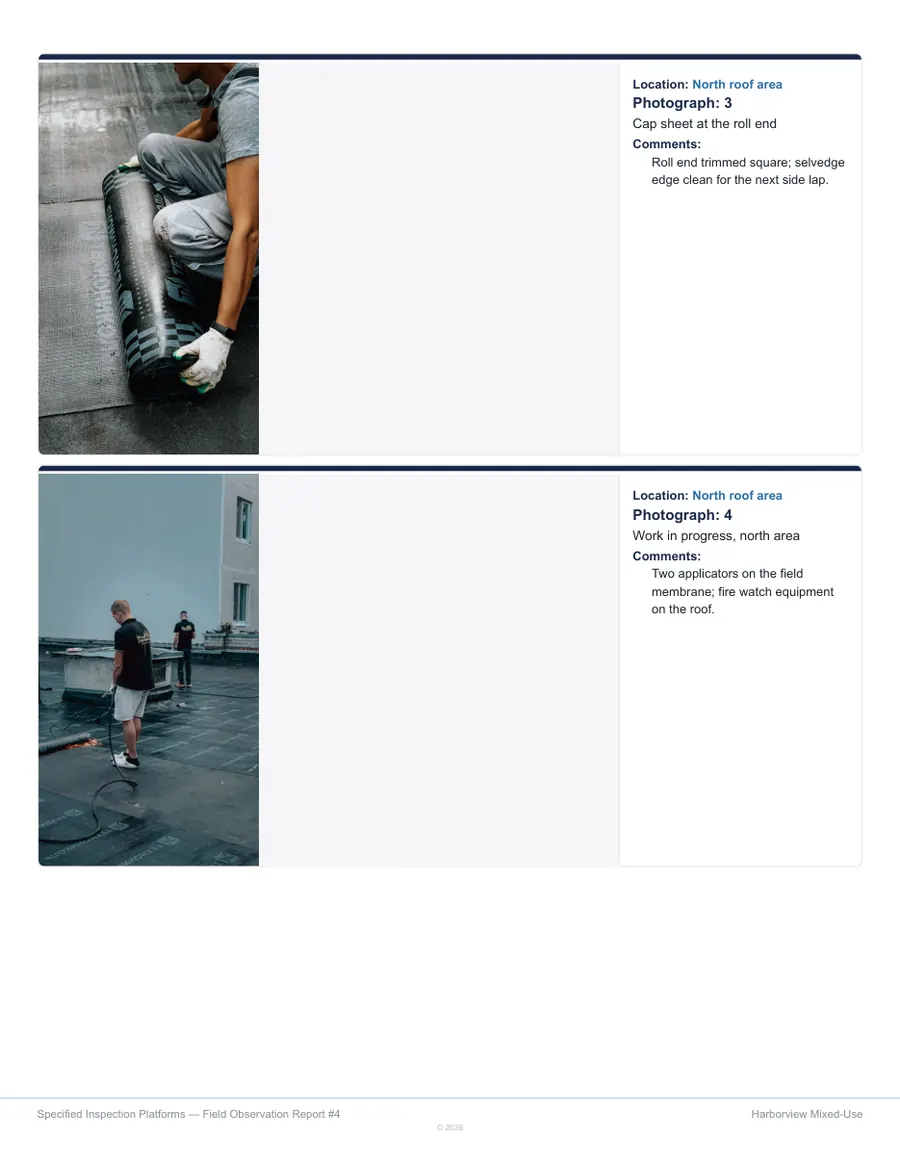
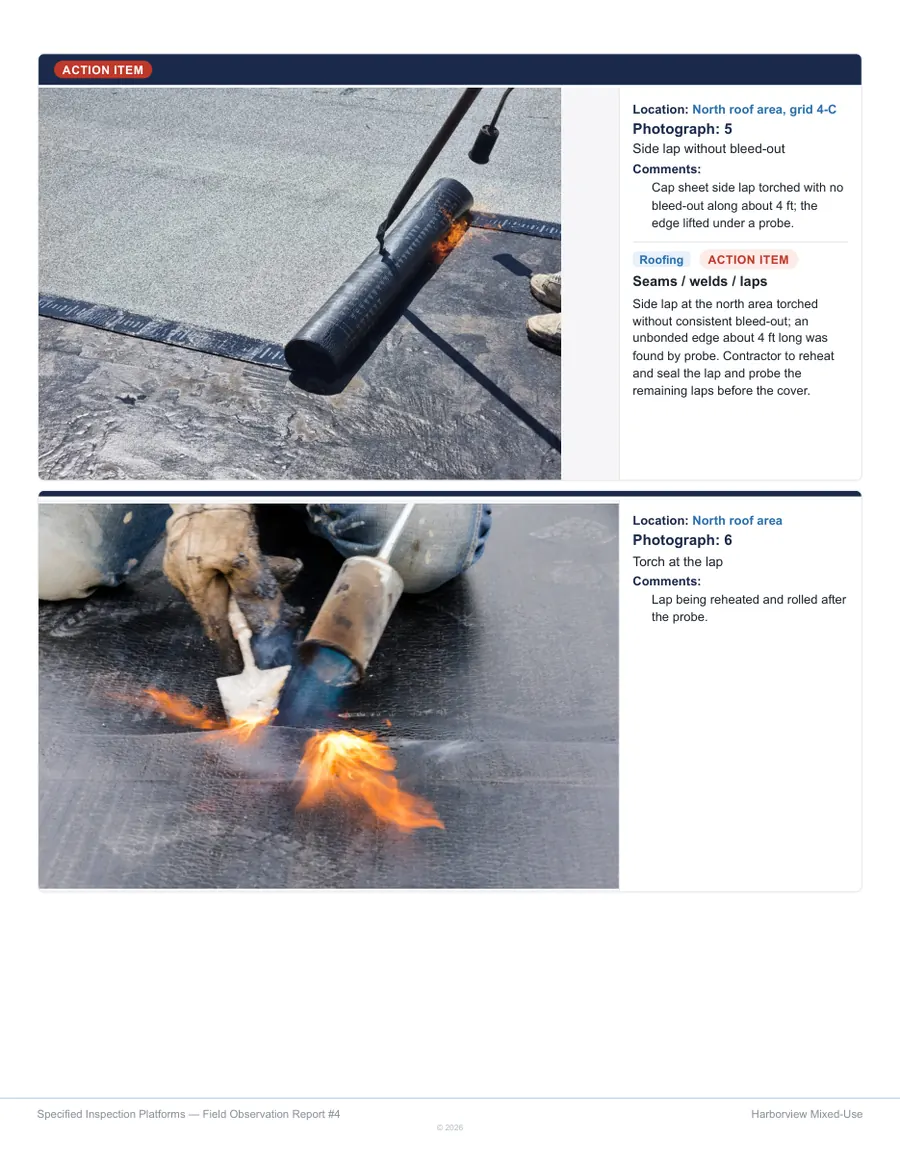
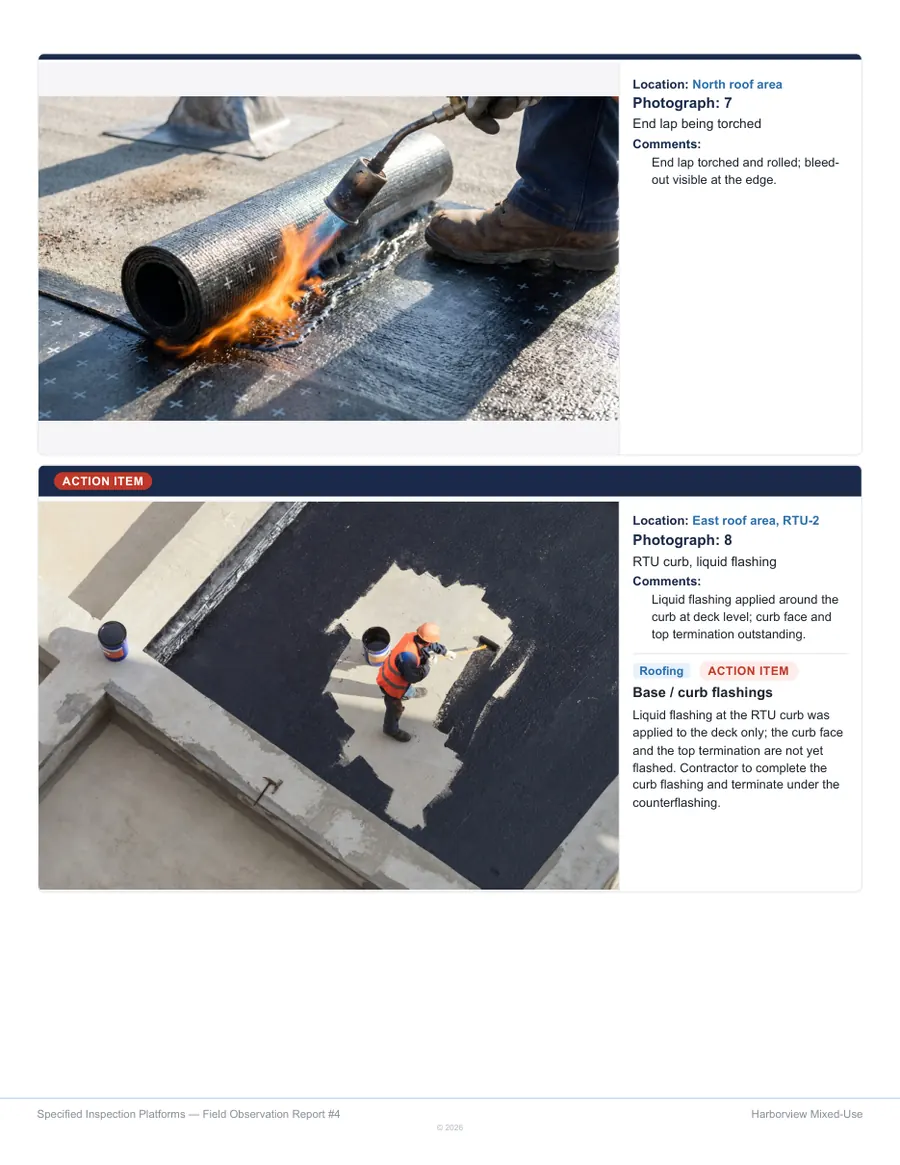
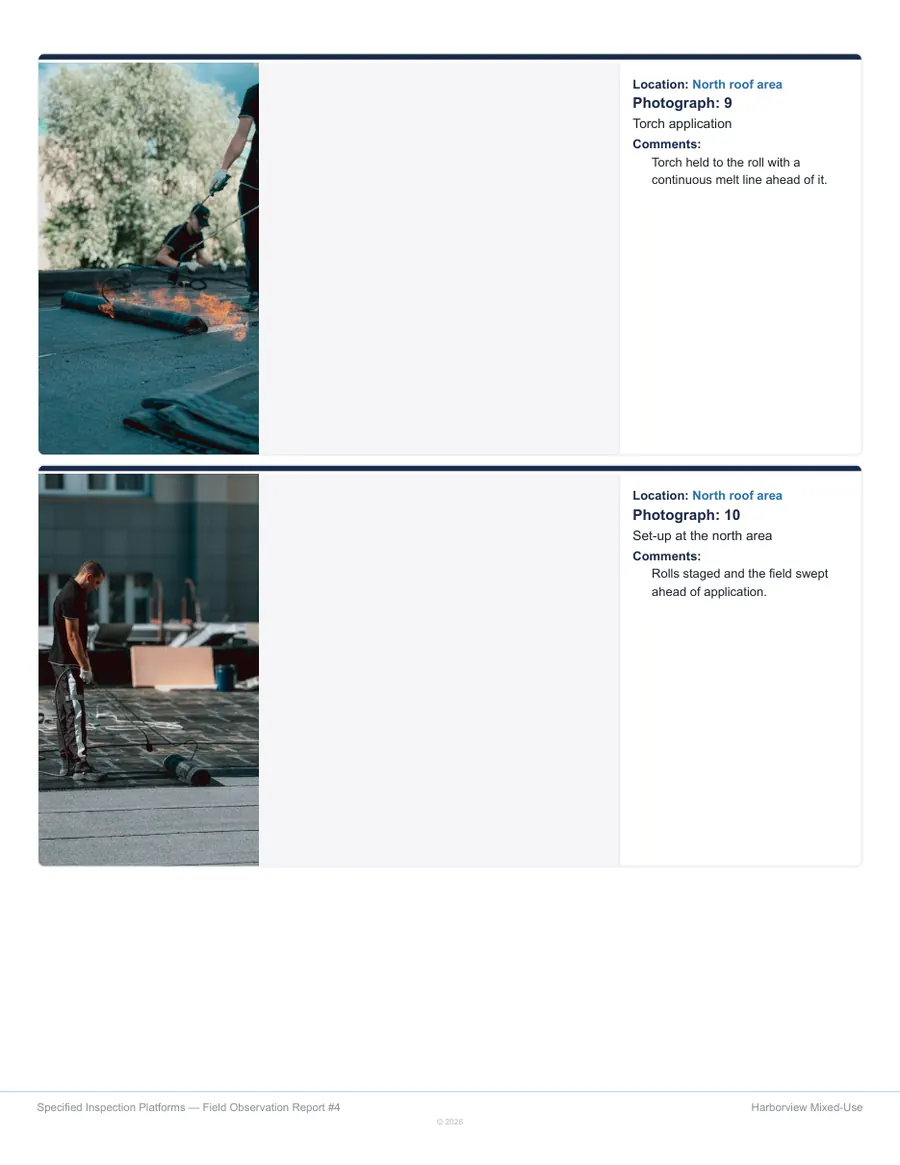
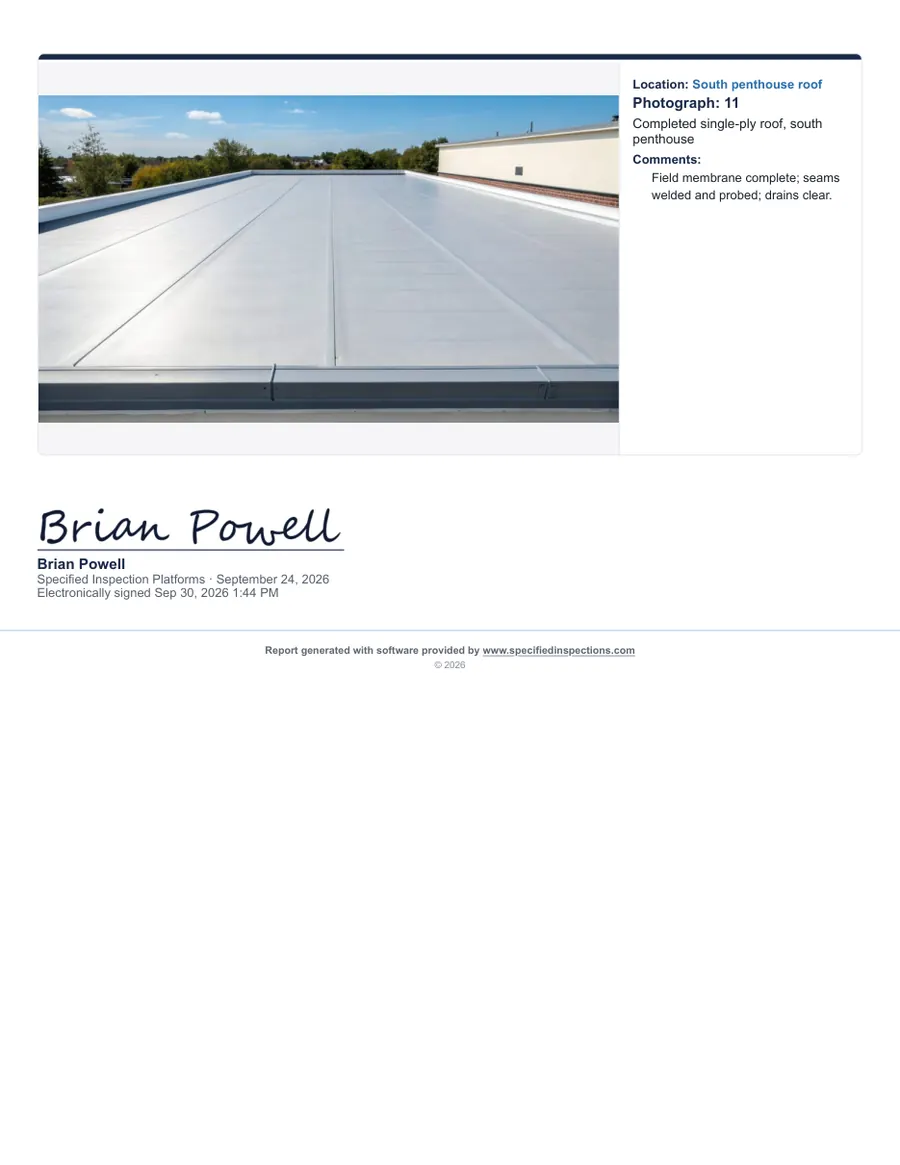
A site visit, end to end
From the roof hatch to the client’s inbox.
Open the project
Contacts, contractors and the basis of design already loaded. Last visit’s open items carried forward.
Walk the work
Tap a status, take the photograph, mark the plan. One hand, gloves on, no signal needed.
Generate the report
On the device, formatted as a deliverable, with a pre-flight check for anything still unfinished.
Send it
Sign and issue the same day, with the action item list exported for whoever has to act on it.
Three things no one else in this category can say.
The observations are already written
Twenty building envelope systems ship with the app — the questions already written, in the order the assembly is built. Not a blank form builder waiting for you to fill it.
It works with no signal
The library, the photographs, the plan view and the report all run on the device. P7 of a parking garage is the same as the office. Sync sends it on when you ask.
Your firm’s name is on it
Your logo, your letterhead, your language. The report is your professional work, and it keeps opening years later whether or not you still subscribe.
What it costs
A seat for each observer, plus the libraries you use.
Nothing is metered, so a busy month costs what a quiet one does.
| Solo | $149 a month, or $1,490 a year |
|---|---|
| Firm | $199 a seat, with volume pricing from five seats |
| Libraries | $600 each to onboard, $400 each a year — three minimum |
| Per report | $0 |
What firms ask before they try it.
Does it really work with no signal?
Yes. Once the app is installed, the checklists, photographs, annotation, plan view and the report itself all run on the device. Nothing waits on a connection.
Does it sync between devices?
Yes, on every tier, switched on firm by firm. A report started on a phone opens on the laptop with its photographs, and a second observer can start from the project without retyping anything.
How long is the trial, and what happens when it ends?
Seven days on the real product, with no credit card. Reports made during a trial are watermarked as evaluation copies. When the trial ends, the app stops producing new reports — it never touches the ones already made.
Whose name is on the report?
Yours. Your firm’s name, logo and signature block lead the report; our only mark is a single software credit on the last page. A saved report reopens years later with its photographs and data intact.
Which libraries are available?
The building envelope library today — 20 systems, including field testing to AAMA 501.2, 502 and 503 — as shipped, or as a custom library built from your own standards.
How is it priced?
A per-seat subscription, plus a one-time buy-in and an annual maintenance fee for each library you choose. Three libraries make the minimum starting set. There are no per-report fees. See the numbers.
Are reports signed?
Electronically signed. The observer signs on the iPad, or picks a handwriting style that renders their name, and it prints as electronically signed with the date and time. Nothing signs a report automatically.
Try it on your own systems.
Seven days on the real product. Tell us what you review and what your reports have to look like, and we will have it on the screen.